/
Email Preview Portlet
Email Preview Portlet
- Jen Bourey
- Martin Morrey
- James Wennmacher (Deactivated)
Owned by Jen Bourey
Description
The Email Preview Portlet is a JSR-268 read-only email portlet. This portlet allows a user to connect to an IMAP, POP3, or Exchange Web Services email store and view and manage contents of INBOX and other mail folders.Features
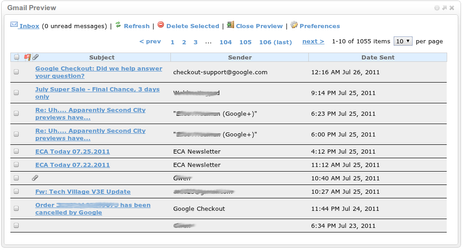
- Display total message count & unread message count
- Display the contents of your Inbox or any folder on the mail server
- Display messages in a table, with the following information for each message
- Subject
- Sender
- Date Sent
- Whether the message has been previously viewed
- Whether the message contains attachments
- Page through your messages & choose page size
- Check for new messages ("Refresh")
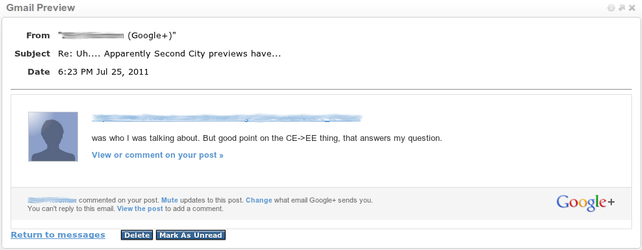
- Click on a message to view it's content
- Display customizable Welcome message
- Display customizable Help text
- Provide authentication via cached credential replay or user-specified preferences
- Uses Antisamy to protect against cross-site scripting (XSS)
Administrator Settings
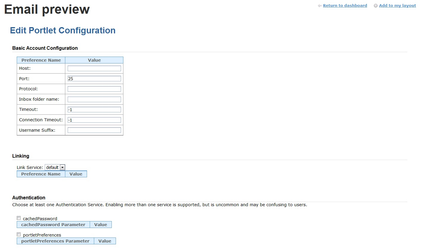
These may be configured by the administrator or omitted. The following connection settings apply to IMAP/POP integration. Exchange Web Services support is also available.
- Protocol - IMAP(S) or POP(S)
- Mail Server (host)
- Port
- Inbox Folder Name
- Timeout
- Connection Timeout
- Inbox URL (for click-through into the webmail client)
- Link Service
- Authentication Service (cachePassword and/or portletPreferences)
- Which settings, if any, users may configure (see below)
User Settings
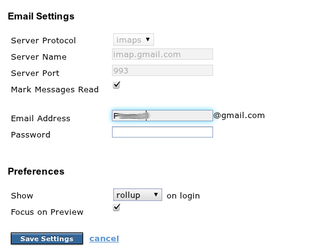
These may be set by users if permitted by the administrator. If any field is defined by both the admin and the user, the user's value is used.
- Protocol (not including Exchange Web Services)
- Mail Server (host)
- Port
- Mailbox folder name
- Mark Messages Read
- Username (portletPreferences authentication only)
- Password (portletPreferences authentication only)
- Show rollup (smaller) or preview (larger) on login
- Focus on Preview
More information
Sample Configuration:
Project Details
Current Version | |
|---|---|
Author(s) | |
Issue Tracking | |
License | Apache Software License, Version 2.0 |
Release Notes | |
Java API Docs |
|
Download Source |
Current Adopters
Are you using this portlet? Be listed here and help Jasig to gauge adoption of this really quite cool portlet.
- Unicon, Inc.
- Ohio University
- UPMC Sorbonne Universités
- Normandy Universities
- University of Edinburgh
Screenshots
To view larger screenshots, click on one of the thumbnails below:
|
|
|
|
|
Configuring the email portlet through uPortal 3.2's config mode
|
View message screen
|
Edit user preferences; some settings locked by admin
|
Email preview screen: preview view; contents of user's INBOX
|
|

|
||
|
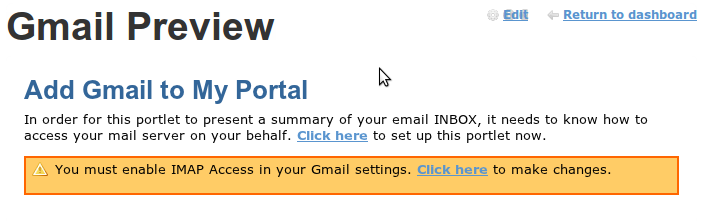
Gmail error message; example screen telling users of required configuration
|
Email preview screen: roll-up view; default loading screen
|